You can submit your event to TangoMarathonDirectory. Please note that, at the moment, we cannot provide anonymous submissions anymore, because the spammers are getting more and more!
Please register first, then login, and use the black toolbar that appears on top of this page!
Editing of your own events is also possible, and the most easiest in variant 2.
Submit Event
Variant 1
- Log in to TMD
- You should see the admin bar on the top.
- Hover over the “+”
- Click on Event (or DJ) to create a new one.

Variant 2
- Log in to TMD
- You should be redirected to the “backend”
- On the left menu, chose Event (or DJ)
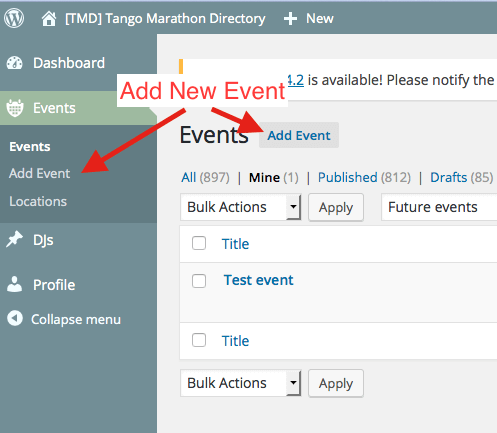
- Then either chose “Add Event” from the new menu left, or using the button (see arrows below).
- If you want to edit your own event (or DJ) you can find them via the “Mine” filter.